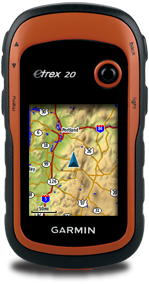
This post will guide you on how to download the SRTM3 data to create a topographic contour map to complement your existing Garmin street maps in your Garmin eTrex 20 GPS device. You will use it like an extra layer of map on top of your existing Garmin street map. If you have not got a street map and you are interested in getting the street map for your Garmin eTrex 20 device, please refer to How to get free routable maps into Garmin eTrex 20 . If you are interested to get street maps for Malaysia and Singapore, please refer to How to install malfreemaps into Garmin eTrex 20 . Malfreemaps provides a very comprehensive map of Malaysia and Singapore, more comprehensive map than the free OpenStreetMaps. Note: The steps below only applicable for Windows OS and make sure you have Java installed into your system. Steps Download OSM2GarminTopo . This is a zip package that i have packed with mkgmap , srtm2osm and my custom batch script to automate the creation of the to...