Posts

Showing posts with the label Android

How to hide music album art cover files from photo gallery in Android

Image
This is how you can hide or exclude your album art cover files that are in your mp3 music collection folder from your Android photo gallery but at the same time you want them to be visible to your music player app. If you are thinking of creating a ".nomedia" file in your mp3 music collection folder, it will cause the music player app to skip scanning and reading the mp3 files from that folder. This is how you can do it: Rename your album art cover files to "albumart.jpg". Restart your Android phone. References, Sources and Credits: http://forum.xda-developers.com/showthread.php?t=1520849&page=2

How to synchronize Outlook calendar with any Android smartphones

This is how you can synchronize your Microsoft Outlook calendar with your Android smartphone. Steps 1. Register an account at www.icalx.com . 2. Publish your Microsoft Outlook calendar to http://icalx.com/public/<username>/ or http://icalx.com/private/<username>/. For more details about the differences of the two links, please read the help section in www.icalx.com. 3. Install  iCalSync  on your Android smartphone. 4. Configure iCalSync to sync with your published Ms Outlook calendar on www.icalx.com website. Note: You can set the sync frequency of iCalSync in the app settings. For Ms Outlook update frequency to www.icalx.com, you can modify it in the "Send & Recieve" settings. Refer to the explanation at http://office.microsoft.com/en-001/outlook-help/publish-your-calendar-on-a-webdav-server-HA010147119.aspx References, Sources and Credits: http://technology.s-sheth.com/publish-outlook-calendar-to-gcal

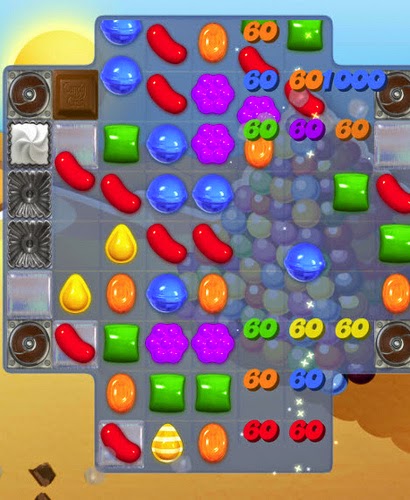
How to get to level 36 in Candy Crush without paying or asking Facebook friends for help

Image
Screenshot from MeLY30 @ Flickr To advance to level 36, you need to either pay or ask your Facebook friends to help getting the flight ticket. But there is another hidden way to get to level 36 without doing both. There are 3 hidden mystery quests to complete but you need to reveal the option first. This is what you need to do: End your Candy Crush game. Switch off your internet connection. The idea is to make your device offline. Restart your Candy Crush game and you will see a 3rd button for the mystery quests. Complete the 3 mystery quests, you will get the ticket to advance to level 36. References, Sources and Credits: http://gaming.stackexchange.com/questions/117734/how-do-you-get-to-level-36-in-candy-crush-saga

How to Synchronize Outlook Calendar to Google Calendar

Image
This is how I setup a one-way synchronization from my Outlook 2010 calendar to Google Calendar. Starting from January 2013, Google discontinued the Google Calendar Sync software that everyone is using to synchronize their Outlook calendar and Google Calendar. The software allows synchronization setup of either one-way or two-way. Since the software is now discontinued, I found another way to synchronize my Outlook calendar to Google Calendar however it's limited to one-way sync from Outlook calendar to Google Calendar. Publish your Outlook calendar to Office.com Step 1: Go to Calendar and look for this button: Home > Publish Online. Step 2: Click the button and configure the publishing options. Step 3: Set the detail level to "Full details". You will need the full details set so that Google Calendar can show the details of the calendar event. Step 4: Set the permissions to "Only invited users ...". This is for added security for not to reveal your calendar e...

Android CPU Governors in Samsung Galaxy Nexus Explained

Image
This is a list of Android CPU governors that are available in the Samsung Galaxy Nexus smartphone for reference in case you are tweaking the CPU with CPU tweaking apps. What is a CPU Governor ? A CPU governor controls how the CPU changes it's speed depends on various conditions defined in the governors. Android CPU Governors Performance This governor locks the CPU frequency at maximum speed. Powersave This governor is the opposite of Performance governor. It locks the CPU frequency at minimum speed. OnDemand Quote from reference (1): Default governor in almost all stock kernels. One main goal of the ondemand governor is to switch to max frequency as soon as there is a CPU activity detected to ensure the responsiveness of the system. (You can change this behavior using smooth scaling parameters, refer Siyah tweaks at the end of 3rd post.) Effectively, it uses the CPU busy time as the answer to "how critical is performance right now" question. So Ondemand jumps to maximum f...

How to enable "Developer Options" in Android Jelly Bean Version 4.2

Image
In Android Jelly Bean version 4.2, the "Developer Options" is missing from the settings menu. Google had hide this setting from the mass consumers. For Android developers and those who loves to tinker around with Android OS, you can do this to re-enable back the "Developer Options" in the settings menu: Go to Settings>About Phone Tap the "Build Number" seven times to re-enable the "Developer Options" in the settings menu. References, Sources and Credits: http://developer.android.com/about/versions/jelly-bean.html#42-dev-options

How to connect Samsung Galaxy Nexus to Ubuntu 12.04 LTS using MTP

Image
Samsung Galaxy Nexus USB computer connection settings Trying to connect and  transfer files between my Ubuntu desktop and my Samsung Galaxy Nexus was a pain in the ass. It seems that my Samsung Galaxy Nexus is unable to mount to my Ubuntu desktop at all. After a long search in the internet, i found a customized solution to this problem. When an Android is connected to Ubuntu Linux through Media Transfer Protocol (MTP), Ubuntu will try to mount the Android using gvfs through gphoto2 but because gvfs does not have native support for MTP yet, it doesn't always work properly. You will probably see this error whenever you try to browse the Android device (that seems like it mounted) from Nautilus: "Sorry, could not display all the contents of "Android": Timeout was reached" When it did work, it work very sluggishly and unreliably. An alternative is to use mtpfs but that too has been reported unstable lately. Because of this, a Google employee created his own mtpfs ca...

The Android Install button is not working while installing apps from unknown sources

If you found your Android "Install" button is not clickable or touchable while trying to install apps from "Unknown sources", don't panic. This is most likely caused by screen filter apps like "2x Battery" or "Screen Filter". Temporary disable them to install apps. References, Sources and Credits: http://m.tubemate.net/faq.jsp

How to transfer contacts from Nokia 5800 to Android smartphones

Image
This blog entry will explain how to transfer contacts from Nokia 5800 XpressMusic to Android smartphones. I have use this method to migrate my phone contacts from Nokia 5800 to Samsung Galaxy Nexus. Synchronize your Nokia 5800 contacts to your Gmail account. To do that please refer to  Sync Contacts Between Google Contacts & Nokia 5800 XM using SyncML . When you get your new Android smartphone, add your Google account into the system for synchronization that will include your Gmail contacts. References or Credits: http://almost-a-technocrat.blogspot.com/2010/06/synchronizing-contacts-between-google.html INDEX PAGE

Increase Samsung Galaxy Nexus battery life with Tasker

Image
This is a great write up by  brandall  from xda developers forum on how to use Tasker to increase your Samsung Galaxy Nexus battery life. This is a tutorial written based on how he had increase his Samsung Galaxy Nexus battery life using his own set of profile rules that suits how he use his smartphone. Tasker - Total Data Connection & Sync Control V4 [MASSIVE Battery Savings!!!] INDEX PAGE

Increase Samsung Galaxy Nexus battery life with custom ROM and kernel

This is a reference guide written by  SrTapir  from xda developer forum. The guide shows you how you can use custom ROM and kernel to tweak the Android system to achieve an optimal battery life. How To Maximize Galaxy Nexus Battery INDEX PAGE

Android Ice Cream Sandwich tips and tricks

Image
A list of tips and tricks of what you can do with Android Ice Cream Sandwich. 9 Awesome Android Ice Cream Sandwich Tips Close apps with a swipe of your fingerQuickly Send a Text Response When Dismissing a  CallUse Your Voice Instead of the Keyboard  Organize Your Apps in Homescreen Folders  Manage Your Data Usage to Avoid Overage Fees  Share Information With Just a Tap of Your Phone  Dismiss Notifications With a Swipe of the Finger  Create Silly Faces and Add Backgrounds in Video Chat  Improve Your Surfing With Chrome Beta 20 Android Ice Cream Sandwich tips and tricks Add quick controls to the browser Long-press to uninstall Flying Android screensaver Save your eyes with inverted rendering Set a custom rejection text message Stop app icons automatically appearing There's a Settings shortcut in the Notifications pane Manually close apps Remove the lock screen Folders in the dock Take photos while recording video Bin animations and transitions Take a gra...

Android Ice Cream Sandwich user guide for Samsung Galaxy Nexus

Online version of Android Ice Cream Sandwich user guide for Samsung Galaxy Nexus PDF version of Android Ice Cream Sandwich user guide for Samsung Galaxy Nexus INDEX PAGE

Android Secret Codes

These are Android hidden codes that you can use to access features or functions that cannot be access by default. *#*#4636#*#* This will reveal the following information about your phone and battery: Phone information Battery information Battery history Usage statistics *#*#7780#*#* This performs a factory data reset, and will remove the following items: Google account settings stored in your phone System and application data and settings Downloaded applications But it will NOT remove: Current system software and bundled applications SD card files e.g. photos, music files, etc. Note: This one asks for a confirmation, so if you do get a chance to change your mind. *2767*3855# This code is used for factory reset, and it will remove all files and settings including the internal memory storage. It will also reinstall the firmware. WARNING:  Once the operation is started, there is no way to cancel it. *#*#34971539#*#* This code is used to get information about the camera. I...